API Documentation
Integrate TruckQuote's powerful logistics solutions into your applications with our comprehensive API.
Introduction
Application Programming Interface (API) is a set of functions and procedures that allow the creation of applications in order to access the features or data of an operating system, application, or other service.
TruckQuote exposes its data via an Application Programming Interface.
All API requests should be against the domain https://api.truckquote.com
All valid responses in JSON format have HTTP status code 200.
Other HTTP response status codes indicate errors in the API request, so developers can interact in a programmatic way with the TruckQuote application.
If a customer needs to increase the quote limit, they can contact the admin. The default API quota a customer can get is 100 quotes.
If a customer faces any issues with the application, then they can contact the support team by messaging them or dropping an email @ support@truckquote.com
Types of Users
| Guest User | Registered User |
|---|---|
| Users can calculate only 5 quotes per day | Users can calculate a maximum of 100 quotes by providing an API token |
How to get API Key from the site
Step 1
Sign into the website to get an API key. Existing users can sign into their account using login credentials whereas new users need to create a new account by signing up from the website.
Step 2
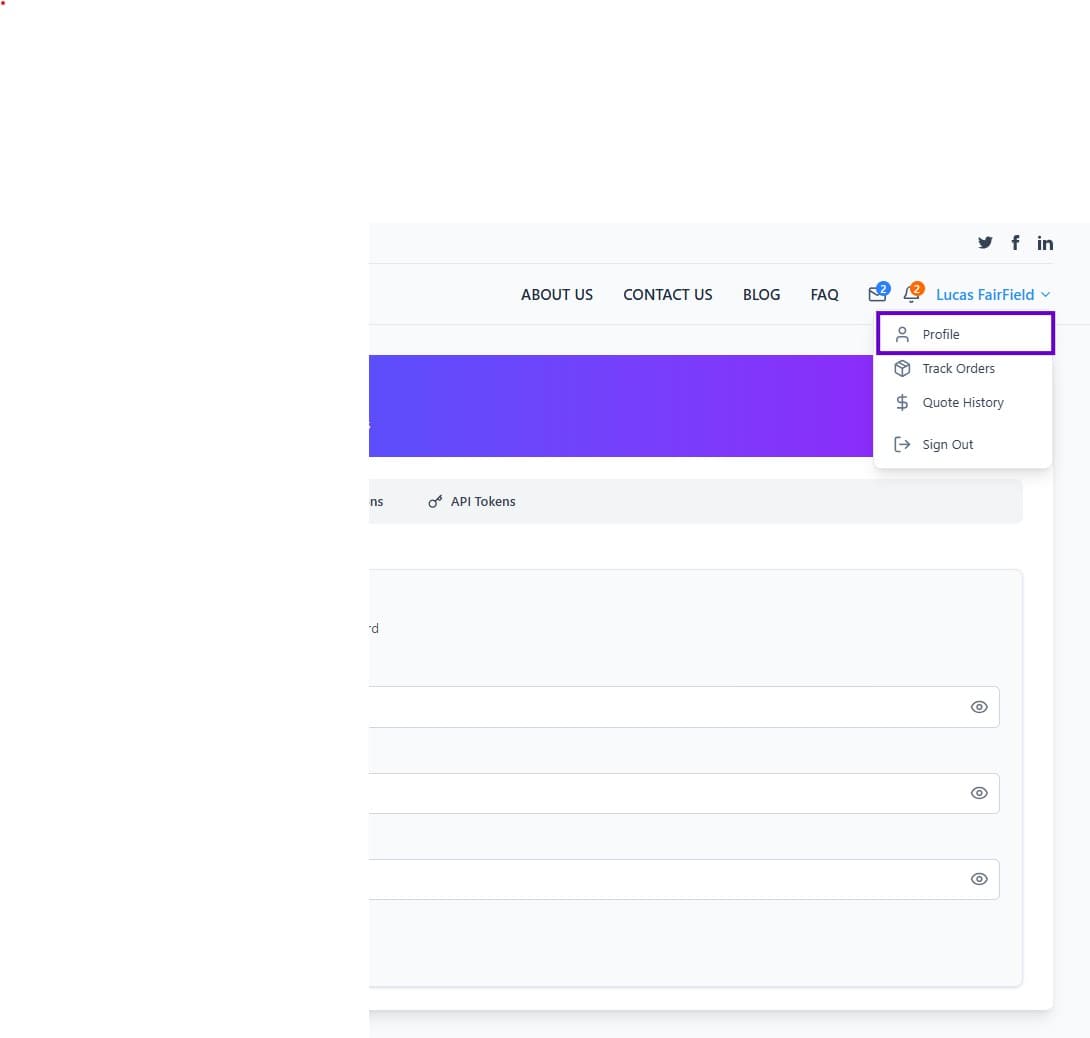
After signing in, go to the 'Profile' menu as shown below
Step 3
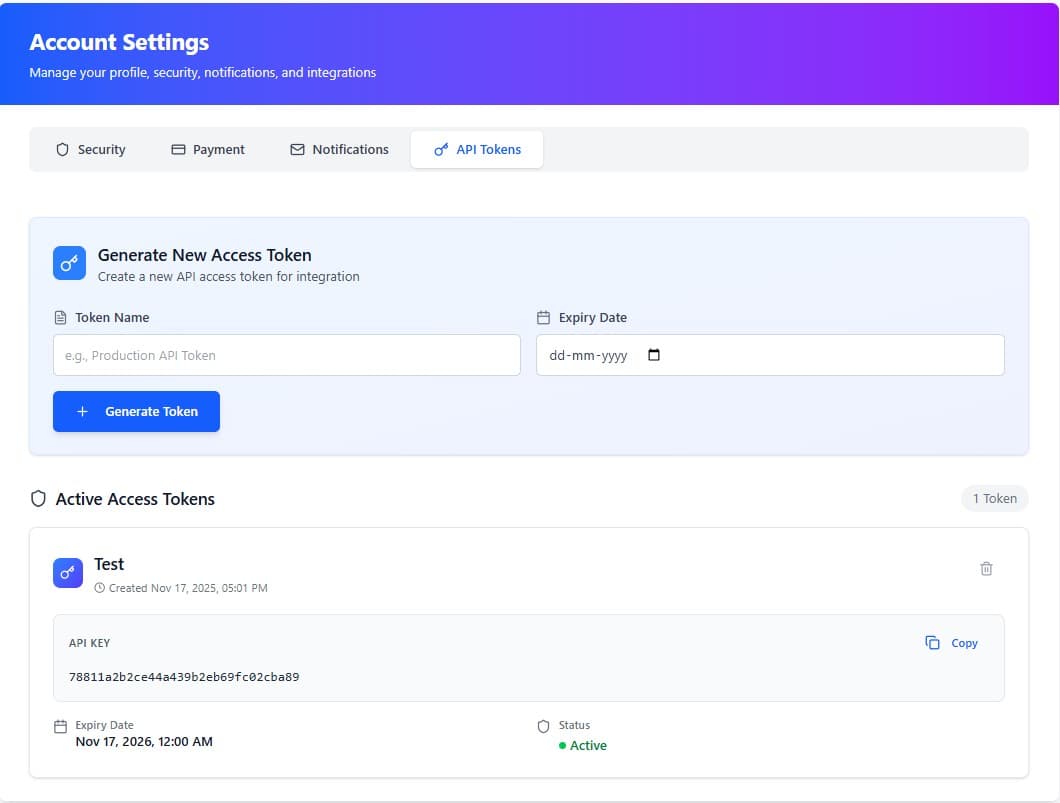
Click on the 'API Tokens' tab. You need to provide a 'Token Name' to identify the token, set an 'Expiry Date', and click on the 'Generate Token' button. A token will be generated with an expiry date. Multiple tokens can be created in the same way.
How to get API Quotes
API URL
https://api.truckquote.com/api/v1/quotesParameters
| Parameter | Description | Example |
|---|---|---|
| Equipment Type | Whether it's a dry van, flatbed or reefer | Flatbeds, Vans, Reefers |
| Feet | Length of the load to be shipped in feet | Up to 53 feet |
| Date | Pickup date for the shipment | 12/28/2018 |
| Weight | Weight of the load to be shipped | Up to 45000 LBS |
| Weight Unit | Unit of measurement for the load weight | LBS |
| Stops | Stops represent the shipment points, like origin and destination. Contains array values. | Address of the points like Las Vegas, NV, USA |
| Additional Services | Represents the additional services available | All additional services are optional. Users can choose any services |
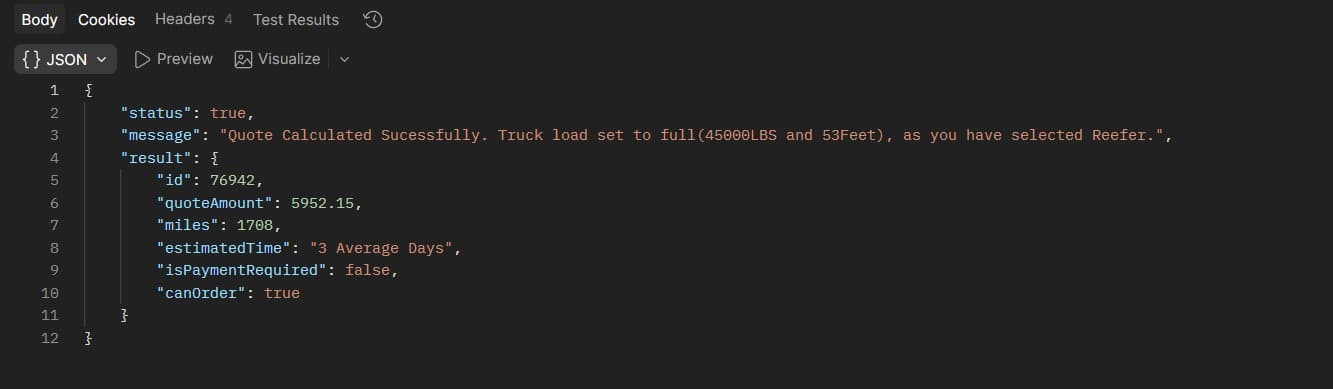
Note: If we set the equipment type as reefer, feet and weight values will be set to maximum (53 Feet and 45000 LBS) irrespective of the values provided by the user.
How to Get Additional Services
API URL
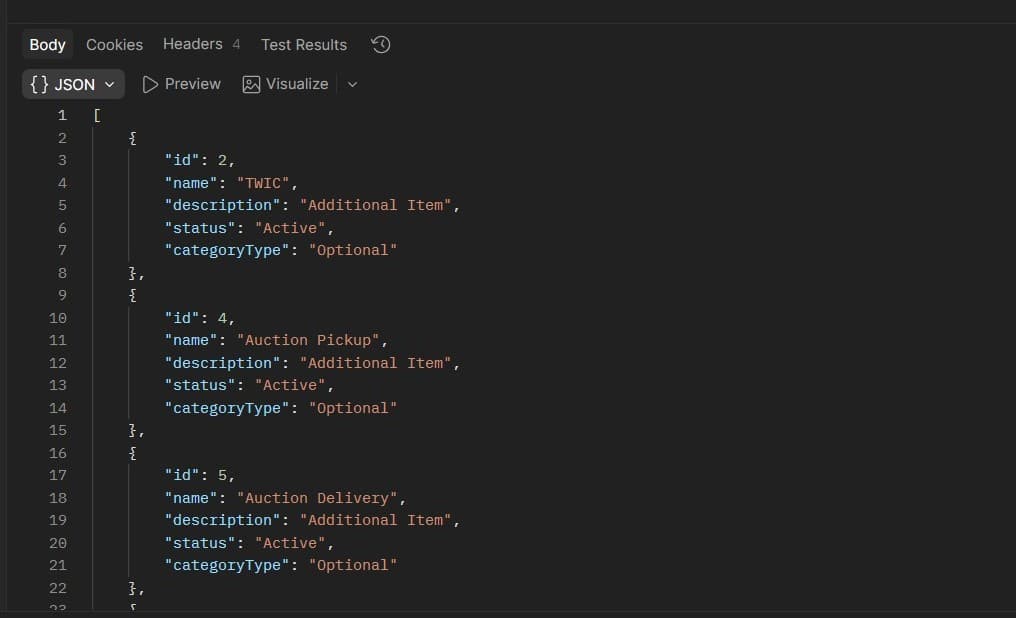
https://api.truckquote.com/api/v1/service-rates/VansSet the params
Users can set the truckType with Vans/Reefers/Flatbeds
Get Response
If the request completes successfully, a success message will be displayed in the response body
Create Quote - Sample Request Body
In the request body, we are supplying the parameters
Note: If the user selects any additional services, pass the IDs of the services with the request body.
{
  "equipmentType": "Flatbeds",
  "feet": "25",
  "date": "08/25/2021",
  "weight": "26000",
  "weight_unit": "LBS",
  "stops": [
    {
      "address": "Las Vegas, NV, USA",
      "city": "Las Vegas",
      "state": "NV"
    },
    {
      "address": "Madison, WI, USA",
      "city": "Madison",
      "state": "WI"
    }
  ],
  "selectedServices": [1, 3]
}
For Reefers
For reefers, weight and feet values are set to maximum by default. Customers don't have to specify values for 'weight', 'feet', and 'weight_unit' fields. The sample request body will be like this:
{
  "equipmentType": "Reefers",
  "date": "08/25/2021",
  "stops": [
    {
      "address": "Las Vegas, NV, USA",
      "city": "Las Vegas",
      "state": "NV"
    },
    {
      "address": "Madison, WI, USA",
      "city": "Madison",
      "state": "WI"
    }
  ],
  "selectedServices": [1, 3]
}
Post Data
Set the header
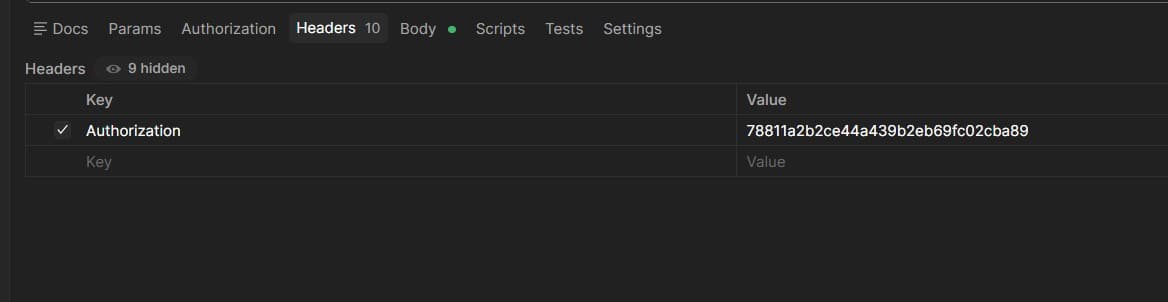
In the 'Header' tab, add the content type header as application/json and set the authorization value as the token value that you get from your profile
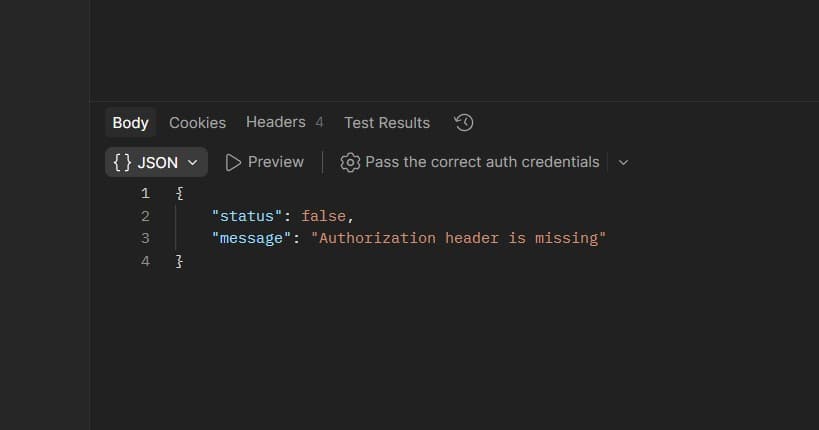
Authorization Error (401)
If you make a request without providing the authorization header, you will receive a 401 error. Make sure to always include your API token in the authorization header as shown above.
Important: All API requests require a valid authorization token. Missing or invalid tokens will result in a 401 Unauthorized error.
Set the body
Select the body type as raw and provide all data in the body section. Click the 'Send' button.
It will produce JSON data. Users can change the request data and get multiple quotes.
Create Quote - Get Response
If the request completes successfully, a success message will be displayed in the response body